Purposeful AI Collaboration for Instructional Designers
Many instructional designers have started their AI journey in the same place: prompts.
That makes sense. Prompts are visible, practical, easy to share, and often impressive at first glance. A well-written prompt can generate outlines, summaries, scenarios, quiz questions, learning objectives, scripts, activities, and draft content in seconds. For busy learning professionals, that speed can feel like a minor miracle wearing sensible shoes.
But after the initial excitement, a more important question begins to emerge.
How do we use AI properly, without reducing our work to a stack of prompts?
That question sits at the centre of AI Collaboration for Instructional Designers: Part 2. Part 1 opened the conversation by focusing on prompts. Part 2 takes the next step by looking at the thinking behind the prompt, the decisions around the prompt, and the way instructional designers can use AI as a purposeful collaborator across the design process.
Because the real value of AI is not only in what it can generate. The real value is in how it helps us think.
Why Prompts Are Only the Starting Point
A prompt can produce content, but it cannot automatically produce good learning design. That distinction matters.
Learning design requires judgement. It requires an understanding of learners, context, outcomes, constraints, behaviour, assessment, sequencing, tone, access, and application. It also requires a designer to recognise when something looks polished but does not yet serve the learning need.
AI can help with many of these tasks, but only when the designer brings structure to the collaboration.
Without that structure, AI can quickly become a fast content machine. It may produce something that sounds confident, reads smoothly, and looks useful on the surface. Yet the content may still miss the learner’s real problem, flatten the context, over-explain the obvious, under-develop the difficult parts, or create activities that feel educational but do not meaningfully change understanding or behaviour.
That is why instructional designers need more than better prompts. We need better ways of working with AI.
From Prompting to Collaboration
Purposeful AI collaboration means treating AI as a thinking partner, not as a replacement designer.
This shift changes the work.
Instead of asking AI to “write a module”, we can ask it to help us interrogate the brief. Instead of asking it to “create activities”, we can ask it to identify where learners may struggle, what misconceptions may appear, and which activities are likely to support transfer into real work.
Instead of accepting the first draft, we can use AI to compare options, test assumptions, strengthen examples, review alignment, and refine the flow.
The instructional designer remains responsible for the quality of the learning experience. AI supports the process, but the professional judgement stays human. That is where the work becomes more interesting.
AI can help us slow down before we speed up. It can help us ask better questions before we create content. It can help us explore a problem from more than one angle before we decide on a solution. It can also help us refine our own thinking when a brief feels vague, a topic feels too broad, or a learning outcome needs sharper definition.
Used well, AI becomes less of a shortcut and more of a thinking environment.
What Purposeful AI Collaboration Looks Like
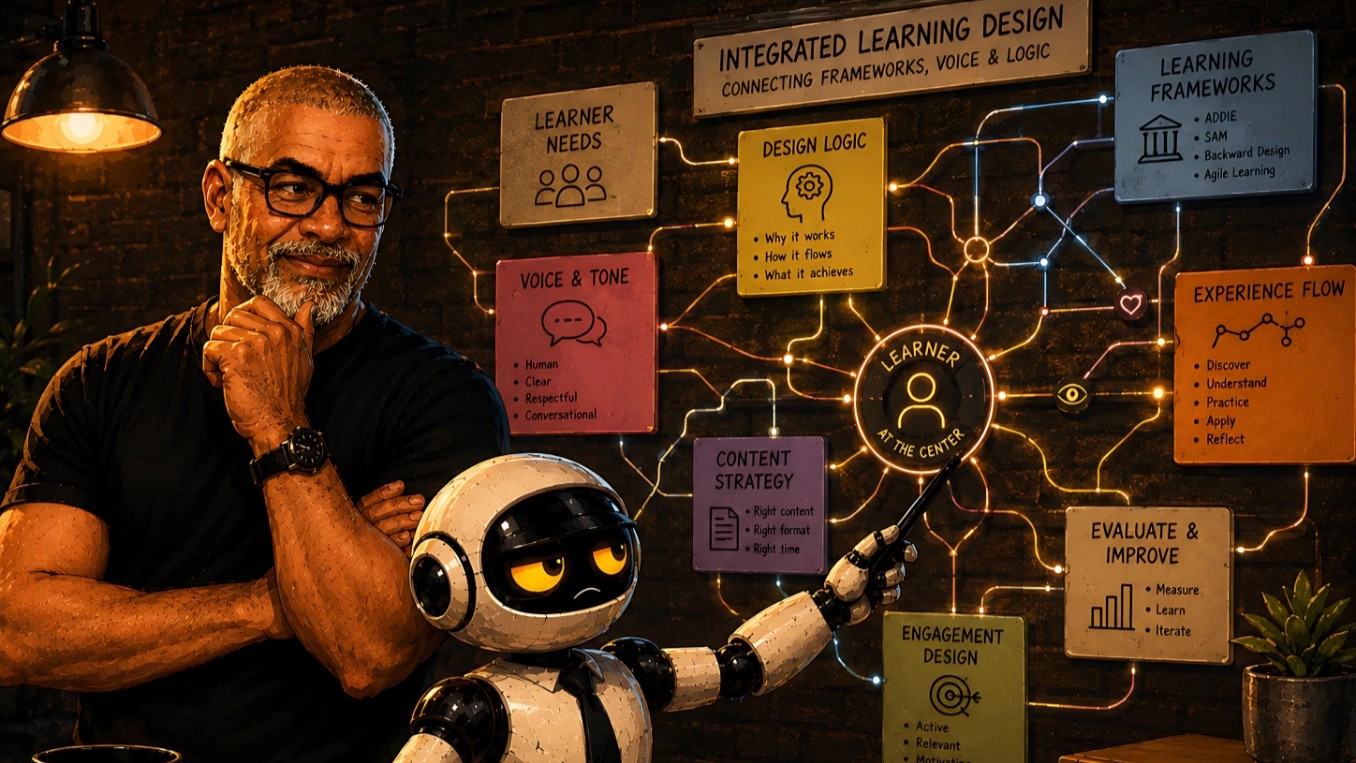
Part 2 uses the design process as the working space. The focus is practical: how can instructional designers use AI more deliberately across the movement from brief to finished learning material?
One way to understand this is through the TEDAIM lens: Think, Explore, Do, Apply, Integrate, Maintain.
Think: Clarify Before Creating
The first value of AI is not content production. It is clarification.
Before designing a learning solution, instructional designers need to understand the problem. What is the actual learning need? What must learners be able to do differently? What is the context? What constraints matter? What assumptions are already sitting inside the brief?
AI can help unpack these questions. It can help generate clarification questions, identify missing information, surface possible risks, and distinguish between a content request and a learning problem.
This stage protects the designer from rushing into production too early.
Explore: Examine Needs, Gaps, and Possibilities
Once the brief is clearer, AI can help widen the thinking. This does not mean accepting every suggestion. It means using AI to explore learner needs, content gaps, possible examples, assessment angles, delivery formats, activity types, and different ways of structuring the learning experience.
For instructional designers, this can be especially useful when working under pressure. AI can provide a broader starting field, but the designer still decides what belongs, what is useful, and what should be discarded. Good exploration prevents shallow design.
Do: Draft with Structure and Intention
AI is very useful during drafting, but drafting should still be guided. Part 2 looks at how AI can support the creation of learning content, explanations, scenarios, examples, activity instructions, knowledge checks, summaries, reflection prompts, and learner-facing text. The emphasis is on creating with intention rather than simply generating volume.
A strong draft is not only clear. It also supports the learning outcome, respects the learner’s context, and follows a logical instructional sequence. AI can help create momentum, but the designer must still shape the learning experience.
Apply: Adapt Outputs to the Real Context
AI outputs often need adaptation. This is where instructional designers add significant value. A generic explanation may need a workplace example. A quiz question may need a more realistic distractor. A scenario may need a South African context, a corporate training tone, a different literacy level, or a stronger behavioural focus.
Part 2 encourages designers to treat AI outputs as material to be shaped, not as final answers to be pasted into a course. The application stage is where the work becomes more context-aware and learner-relevant.
Integrate: Refine Flow, Tone, Activities, and Assessment
Learning materials often fail in the spaces between the pieces. The content may be correct, but the flow may feel uneven. The tone may shift. The examples may not connect. The activity may not prepare learners for the assessment. The assessment may test recall when the outcome requires application.
AI can help review these connections when the designer asks the right questions. This is one of the strongest uses of AI in instructional design: using it to inspect structure, alignment, clarity, and coherence. It can help identify gaps, suggest improvements, and offer alternative ways to organise content.
The designer still makes the final call, but AI can support a more rigorous review process.
Maintain: Build Better Design Habits Over Time
The goal is not to use AI once and move on. The goal is to build a better way of working. Purposeful AI collaboration becomes more valuable when it is repeatable. Designers can develop reusable workflows for analysing briefs, drafting content, reviewing learning alignment, refining activities, and improving final materials.
Over time, this can support better consistency, stronger thinking, and more confident design decisions. That is the bigger promise of AI for instructional designers. Not instant perfection. Better practice.
Why Part 2 Exists
AI Collaboration for Instructional Designers: Part 2 was created for learning professionals who want to move beyond isolated prompting and use AI with more structure.
It is for instructional designers, learning content developers, trainers, educators, eLearning developers, freelancers, and consultants who are already experimenting with AI but want a more purposeful way to bring it into their workflow.
The guide explores how AI can support the design process without removing the designer’s responsibility. It offers a practical way to think about AI as a collaborator across analysis, planning, drafting, reviewing, adapting, and refining.
If Part 1 helped you begin working with prompts, Part 2 is designed to help you work with AI more deliberately.
Get Part 2
AI Collaboration for Instructional Designers: Part 2 is now available as a practical PDF guide. It explores how instructional designers can use AI as a thinking partner across the learning design process, from clarifying the brief to refining content, activities, examples, and assessments.
To mark the launch, Part 2 is available through a $5 reader link.
At GravityWRX, we believe AI works best when it supports human thinking. Part 2 continues that belief by helping learning professionals use AI with more clarity, structure, and intention.
The prompt may start the conversation. The thinking behind the prompt is where the real design work begins.